


News
Instructions for using the oven
21
Aug
Aug
Operation process:
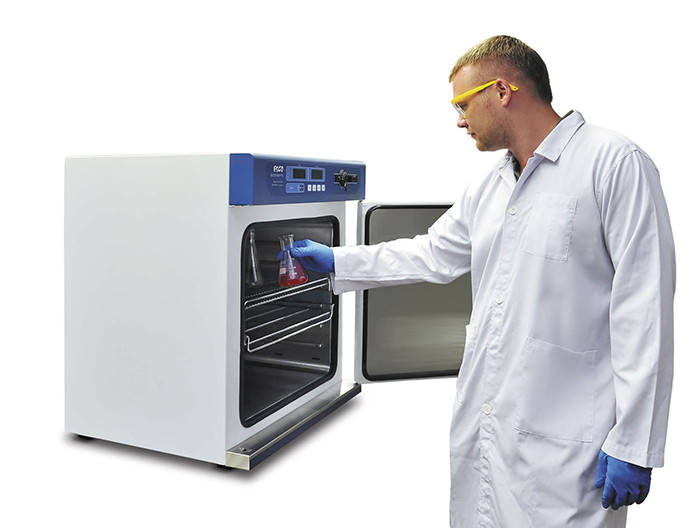
Open the door, place the subject in the chamber to dry, and close the door
Turn the power on with the right panel of the power button to position “1”, then the digital set of the device shows the device in working status.
With the temperature controller with the control panel, the internal temperature will be set as required
When the device operates, the temperature will reach the set value inside, after the required incubation time, the working process is completed.
Power off; Wait until the internal temperature returns to the ambient temperature, open the door and remove the subject from the cabinet.
Heat controller:
Define:
“OUT” indicator: illuminates when the process is exothermic
Indicator “MK”: the whole time the light will blink
“ALM” indicator: lights up when overheating alarm
Operate:
Power controller, the top row of the window displays “InP”, the bottom row shows the scale value for 3 seconds when entering the normal display state.
Set and display temperature and hold time:
Press the SETTING key, enter the setting temperature status, the upper row of the display window will quickly display: SP ”, the bottom row displays the set temperature value (the first numeric value flashes); with SHIFT, INCREASE, REDUCE keys customize the desired setting value;
Then press the SET key to continue to set the holding time, the row on the screen will quickly display “St.”, the bottom row shows the mid time setting; With SHIFT, INCREASE, REDUCE keys customize the desired setting value
Then press the SET button to exit the state, the setting will be automatically saved
When the hold time is set to “0”, the time function, controller operate continuously, the next row in the window displays the set temperature value. The bottom row shows the running time when the set time is “0”, displays the screen, the second light icon, measures the temperature to reach the set temperature.
